The Supercars collection
Car Wallpapers in 4K & HD
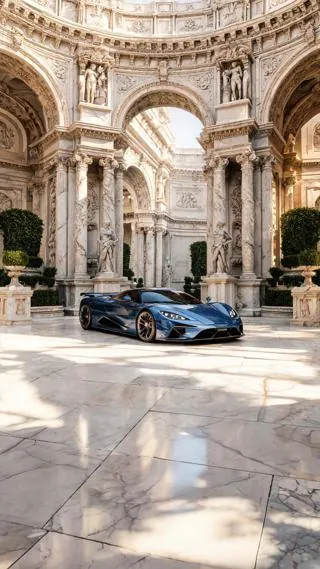
Supercars for your home screen and lock screen. The Supercars collection in GiggleWalls is hand-picked in 4K and HD.
Supercars, hand-picked
Every wallpaper in the Supercars collection is chosen by hand for quality and style, so you spend less time scrolling past filler.
Check the quality first
Open More info to see each wallpaper's resolution and file size before you download it.
Home, lock or both
On Android, set a wallpaper on your home screen, lock screen or both in one step.
Free, with no coins
Every wallpaper is free, with no subscriptions and no coins. GiggleWalls is supported by ads.
How to set your new wallpaper
-
01
Find it
Open Explore and tap Supercars under Collections, or search for "cars".
-
02
Check it
Tap a wallpaper to see it full screen, then open More info to check its resolution and file size.
-
03
Set it on Android
Tap Set and choose Home screen, Lock screen or Both.
-
04
On iPhone and iPad
Tap Download to save it to Photos. Open it in Photos, tap Share, then Use as Wallpaper.
Car wallpaper questions
Are the car wallpapers free?
Yes. Every wallpaper in GiggleWalls is free, with no subscriptions and no coins. The app is supported by ads, and a short video ad unlocks each download.
Where do I find car wallpapers in the app?
Open Explore and tap Supercars under Collections, or search for "cars".
Will a car wallpaper fit my lock screen?
Preview any wallpaper on a phone or tablet frame before you download it, and open More info to check its resolution and file size.